17 minutes
Chain of Responsibility in Unity Projects: Input Layers and Damage Pipelines
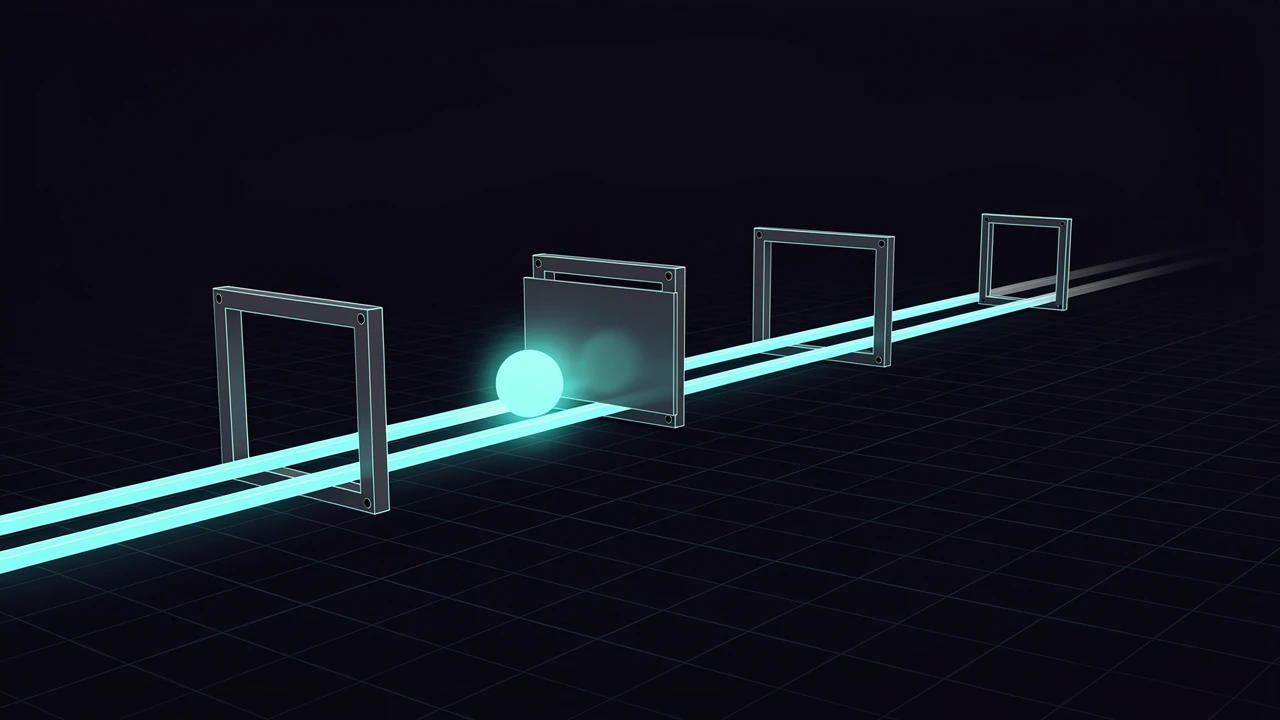
Press Escape in a game with a debug console, a pause menu, an inventory screen and a gameplay layer, and four different systems have a claim on that key. The console wants it to close itself. The inventory wants it to close itself. The pause menu wants to open. Gameplay does not care at all, unless nothing else wanted it, in which case it might cancel a targeting reticle.
Most projects start by solving this with a single method full of conditions: if the console is open, do this; else if the inventory is open, do that; else if the pause menu is open. That method works until the fifth layer arrives, and then it becomes the place where every system in the game has to be known by name.
Chain of responsibility is the pattern for this shape of problem. The broker chain post already used a variation of it for stat modifiers. This post covers the pattern on its own terms, with two Unity uses: layered input and a damage pipeline.

The pattern in one paragraph
A request enters at one end of an ordered list of handlers. Each handler looks at the request and makes one of two decisions. It consumes the request, which ends the journey, or it passes the request along to the next handler. The sender of the request knows nothing about which handler ended up responsible. The handlers know nothing about each other. Only the list knows the order.
Refactoring.Guru’s description of the pattern gives the same split: a handler either processes the request or passes it on. In the classic form, processing and stopping are the same event. In practice, many game handlers want to observe a request without stopping it (a screenshot hotkey, a damage logger), and others want to change the request before handing it on (armor reducing damage). Those are the same pattern with a different answer to the question of what happens after a handler acts.
Game code ends up with three kinds of handler:
- A consuming handler ends the chain.
- An observing handler acts and then passes the request on unchanged.
- A transforming handler passes on a modified request.
Input layering is mostly the first two. Damage pipelines are mostly the third, with an occasional consumer such as invulnerability.
Why not just call everything?
The obvious alternative is an event. Raise “Escape pressed”, let every system subscribe, let each system decide what to do. Events are the right tool when the sender does not care about the outcome and every listener should react independently.
Escape is not that case. If the console and the pause menu both subscribe, both react, and the player closes the console and opens the pause menu with one keypress. The listeners need to coordinate, and an event bus has no concept of “someone already dealt with this”. Teams usually bolt on a handled flag on the event arguments, which is a chain of responsibility with the ordering left undefined.
A chain makes the question “who gets first refusal?” an explicit, visible, testable decision instead of a side effect of script execution order or subscription order.
Layered input, step by step
The input example uses four handlers. The one on top is a screenshot hotkey that has to work everywhere, including while the console is open. Below it sits a debug console that swallows all input while open. Next is a pause menu with the same modal behavior. At the bottom is gameplay, which handles Jump and Fire.
The contract between the chain and its handlers is a single method that returns a bool.
public interface IInputHandler
{
    // true = consumed, the chain stops. false = not mine, keep going.
    bool Handle(in InputEvent e);
}
The return value carries the whole decision. Returning true means the event is finished. Returning false means the handler had no interest, or acted but wants others to see the event too. The screenshot hotkey returns false even after it takes a screenshot, because it observes.
The chain itself is a sorted list.
public sealed class InputChain
{
    private readonly List<(int Priority, int Order, IInputHandler Handler)> _entries = new();
    private int _nextOrder;

    // Higher priority sees the event first. Equal priority: first registered wins.
    public void Add(IInputHandler handler, int priority)
    {
        _entries.Add((priority, _nextOrder++, handler));
        _entries.Sort((a, b) => a.Priority != b.Priority
            ? b.Priority.CompareTo(a.Priority)
            : a.Order.CompareTo(b.Order));
    }

    public void Remove(IInputHandler handler) => _entries.RemoveAll(x => x.Handler == handler);

    public bool Dispatch(in InputEvent e)
    {
        // Handlers must not add or remove handlers during dispatch: the list shifts
        // under the index and the next handler gets skipped.
        for (int i = 0; i < _entries.Count; i++)
            if (_entries[i].Handler.Handle(e)) return true;
        return false;
    }
}
Three details in that class are deliberate.
First, priority is an explicit number, not a registration order. Registration order depends on which Awake or OnEnable ran first, and Unity does not guarantee a stable order between unrelated scripts unless it is configured in the Script Execution Order settings. A modal console that works in the editor and loses to the pause menu in a build is a bug that should be impossible to write. The explicit priority makes the order a number in code that someone can read.
Second, ties are broken by registration order using a counter. Sorting a List<T> with Sort is not a stable sort, so equal priorities could swap places between runs if the tiebreaker were missing. A counter costs one integer and removes an entire category of “works on my machine”.
Third, Dispatch returns whether anyone consumed the event. A caller can use it to play a “denied” sound, log an unbound key, or fall back to a default. When the chain silently drops events, debugging an unresponsive button takes much longer.
The handlers
The full set of handlers lives in the same file as the chain, and the screenshot and console handlers show the two interesting behaviors.
public sealed class ScreenshotHotkey : IInputHandler
{
    public int Taken;
    public bool Handle(in InputEvent e)
    {
        if (e.Action == "Screenshot") Taken++;
        return false; // observes, never consumes
    }
}
The screenshot handler returns false unconditionally. It has priority 1000 in the demo, so it sees every event first, does its own work when the action matches, and lets the rest of the chain proceed.
public sealed class DebugConsole : IInputHandler
{
    public bool IsOpen;
    public readonly List<string> Typed = new();

    public bool Handle(in InputEvent e)
    {
        if (e.Action == "ToggleConsole") { IsOpen = !IsOpen; return true; }
        if (!IsOpen) return false;
        Typed.Add(e.Action);
        return true; // modal: swallows everything while open
    }
}
The console handler consumes one event always (the toggle), and when open it consumes everything. This is what makes it modal. While it is closed, it returns false for everything else and costs one string comparison and a bool check.
Neither handler knows the other exists. The console does not check whether the pause menu is open. The pause menu does not check the console. Adding an inventory screen means writing one more class and registering it at a priority between the pause menu and gameplay. No existing handler changes.
Running it
The demo program registers the four handlers, dispatches events, and asserts the outcome. Here is the program that was compiled and run.
using System;
using System.Collections.Generic;
using ChainDemo;

static void Check(bool ok, string what)
{
    Console.WriteLine($"{(ok ? "PASS" : "FAIL")}  {what}");
    if (!ok) Environment.Exit(1);
}

// --- Input chain ---
var shot = new ScreenshotHotkey();
var console = new DebugConsole();
var pause = new PauseMenu();
var game = new Gameplay();

var chain = new InputChain();
chain.Add(game, 0);
chain.Add(pause, 100);
chain.Add(console, 200);
chain.Add(shot, 1000);

chain.Dispatch(new InputEvent("Jump"));
Check(game.Jumps == 1, "gameplay receives Jump when nothing modal is open");

chain.Dispatch(new InputEvent("Pause"));
chain.Dispatch(new InputEvent("Jump"));
chain.Dispatch(new InputEvent("Fire"));
Check(pause.IsOpen && game.Jumps == 1 && game.Shots == 0, "open pause menu swallows Jump and Fire");

chain.Dispatch(new InputEvent("ToggleConsole"));
chain.Dispatch(new InputEvent("Jump"));
Check(console.Typed.Count == 1 && game.Jumps == 1, "console is above the menu and takes input first");

chain.Dispatch(new InputEvent("Screenshot"));
Check(shot.Taken == 1, "screenshot hotkey works even with console and menu open");

chain.Dispatch(new InputEvent("ToggleConsole"));
chain.Dispatch(new InputEvent("Pause"));
chain.Dispatch(new InputEvent("Fire"));
Check(!pause.IsOpen && !console.IsOpen && game.Shots == 1, "closing both returns input to gameplay");

bool handled = chain.Dispatch(new InputEvent("Unbound"));
Check(!handled, "an unhandled event falls off the end and Dispatch reports false");

// Forgotten close: handler stays registered but is closed -> must not eat input.
var chain2 = new InputChain();
var g2 = new Gameplay();
chain2.Add(g2, 0);
var m2 = new PauseMenu { IsOpen = true };
chain2.Add(m2, 100);
chain2.Dispatch(new InputEvent("Fire"));
Check(g2.Shots == 0, "a handler that stays 'open' by mistake starves gameplay (the classic stuck-menu bug)");
chain2.Remove(m2);
chain2.Dispatch(new InputEvent("Fire"));
Check(g2.Shots == 1, "removing the stuck handler restores input");

// --- Damage chain ---
var inv = new Invulnerable();
var shield = new Shield { Remaining = 30f };
var armor = new Armor { Reduction = 0.5f };

float shieldFirst = DamageChain.Run(new IDamageHandler[] { inv, shield, armor }, 100f);
Console.WriteLine($"      shield then armor: {shieldFirst}");
Check(Math.Abs(shieldFirst - 35f) < 0.001f, "shield first: (100 - 30) * 0.5 = 35");

shield.Remaining = 30f;
float armorFirst = DamageChain.Run(new IDamageHandler[] { inv, armor, shield }, 100f);
Console.WriteLine($"      armor then shield: {armorFirst}");
Check(Math.Abs(armorFirst - 20f) < 0.001f, "armor first: 100 * 0.5 - 30 = 20");

inv.Active = true;
shield.Remaining = 30f;
float blocked = DamageChain.Run(new IDamageHandler[] { inv, shield, armor }, 100f);
Check(blocked == 0f && shield.Remaining == 30f, "invulnerability stops the chain before the shield is touched");

Console.WriteLine("ALL CHECKS PASSED");
Output from the run, on .NET 8 inside a throwaway container:
    0 Warning(s)
    0 Error(s)
PASS  gameplay receives Jump when nothing modal is open
PASS  open pause menu swallows Jump and Fire
PASS  console is above the menu and takes input first
PASS  screenshot hotkey works even with console and menu open
PASS  closing both returns input to gameplay
PASS  an unhandled event falls off the end and Dispatch reports false
PASS  a handler that stays 'open' by mistake starves gameplay (the classic stuck-menu bug)
PASS  removing the stuck handler restores input
      shield then armor: 35
PASS  shield first: (100 - 30) * 0.5 = 35
      armor then shield: 20
PASS  armor first: 100 * 0.5 - 30 = 20
PASS  invulnerability stops the chain before the shield is touched
ALL CHECKS PASSED
Two of those checks are about failure rather than success. The sixth shows an unbound event falling off the end of the chain, which Dispatch reports with false. The seventh reproduces the most common real bug with this pattern: a modal handler that is still registered and still reports itself open when it should not be. Gameplay receives nothing, and the symptom reads as “input is broken” rather than “the pause menu is stuck”. Because every consumed event stops at the stuck handler, a temporary log line in Dispatch that prints the consuming handler’s type name finds the culprit in one run.
Where Unity already does this
Unity ships two chains that are worth recognizing, because their behavior matches the pattern and their pitfalls match too.
The uGUI event system includes ExecuteEvents.ExecuteHierarchy, which the scripting reference describes as recursing up the hierarchy, calling Execute<T> until there is a GameObject that can handle the event. The handler list is the parent chain of a UI element. A click lands on a button’s child image, and the event travels up until some ancestor implements the right handler interface. If the child has its own IPointerClickHandler, the parents never hear about the click. That is the consuming behavior again, and it explains why a click handler on a panel that sits above a row of buttons takes clicks the buttons expected.
UI Toolkit formalizes this further. The manual describes events traveling in two phases. During the trickle-down phase, callbacks run on elements from the root down to the event target. During the bubble-up phase, callbacks run from the target back up to the root. A parent that needs to react before its child registers its callback with TrickleDown.TrickleDown. StopPropagation ends the journey: the reference says the event is not sent to other elements along the propagation path, though other handlers on the current target still run.
One is a pure bubble-up chain where the first handler wins. The other splits the chain into a capture pass and a bubble pass so parents can intercept early. When a custom chain is needed for gameplay input, the plain version is nearly always enough, but UI Toolkit’s two-phase model is the answer when a “capture before the child sees it” requirement shows up, such as a drag-and-drop layer that must take over pointer input from whatever it started on.
The damage pipeline
Input is a consume-or-pass chain. Damage is a transform chain, and ordering stops being a convenience and becomes game design.
A target takes 100 damage. It has a shield that absorbs up to 30, armor that cuts remaining damage in half, and a temporary invulnerability flag. What does the target lose?
That depends entirely on the order. The handler contract differs slightly from input, because each handler returns the damage that continues, and can signal that the chain must end.
public interface IDamageHandler
{
    // Returns the damage that continues down the chain. Set stop to end the chain early.
    float Handle(float damage, out bool stop);
}

public sealed class Invulnerable : IDamageHandler
{
    public bool Active;
    public float Handle(float damage, out bool stop)
    {
        stop = Active;
        return Active ? 0f : damage;
    }
}

public sealed class Shield : IDamageHandler
{
    public float Remaining;
    public float Handle(float damage, out bool stop)
    {
        float absorbed = Math.Min(Remaining, damage);
        Remaining -= absorbed;
        stop = false;
        return damage - absorbed;
    }
}

public sealed class Armor : IDamageHandler
{
    public float Reduction; // 0.25 = 25% less
    public float Handle(float damage, out bool stop)
    {
        stop = false;
        return damage * (1f - Reduction);
    }
}

public static class DamageChain
{
    public static float Run(IReadOnlyList<IDamageHandler> chain, float damage)
    {
        foreach (var h in chain)
        {
            damage = h.Handle(damage, out bool stop);
            if (stop) break;
        }
        return damage;
    }
}
The tests in the program above run the same three handlers in two orders:
- Shield first, then armor: (100 - 30) * 0.5 = 35 damage taken.
- Armor first, then shield: 100 * 0.5 - 30 = 20 damage taken.
Reordering two handlers moves the result by 15 points. Neither answer is wrong. A game where shields are raw hit points that sit on top of armored health behaves differently from one where armor applies to everything, shield included. What matters is that the order is a visible decision in one place, and that the number is not an accident of whichever component happened to run first.
The invulnerability handler shows the consuming case inside a transforming chain. When active, it sets stop and returns zero, and the program verifies that the shield’s remaining capacity is untouched afterward. Without the early exit, the shield would have absorbed hits that never landed, and the player would come out of an invulnerability window with a depleted shield.
If this sounds like the broker chain from the earlier post, it is the same family. The difference is when the chain runs. A broker chain answers a query (“what is Attack right now?”) each time the value is read. A damage pipeline processes an event once, when the hit lands, and the output is a number that gets applied to health. Use a query chain for state that other systems read; use an event chain for one-shot resolution.
Choosing the order
Order is the part that the pattern leaves entirely to you, and the part that most chain bugs come from. A few rules cover most cases.
Put handlers that must always run first, such as global hotkeys and invulnerability, at the top with a margin between priority numbers. Spacing priorities by 100 or so leaves room to insert a layer later without renumbering everything.
Put modal handlers above the things they block. A console that should block gameplay must sit above gameplay, which is obvious on paper and easy to violate when two features are built by different people in different weeks.
Put the catch-all last, so gameplay input sees an event only after every special case declined it.
Give transform handlers a documented place in the pipeline. In a damage chain, a short comment above the registration code listing the intended order (immunity, then shields, then armor, then health) is worth more than any clever sorting scheme. When a designer asks why a boss takes extra damage through armor, the answer should be readable in one place.
Common mistakes
Mutating the chain while dispatching. The demo’s comment on Dispatch flags this. A handler that unregisters itself or another handler in the middle of dispatch shifts the list under the loop index, and the next handler gets skipped. Defer additions and removals until dispatch ends, or iterate over a copy. A typical case: a pause menu that closes itself on Escape by calling Remove. The fix is a small pending-removal list flushed at the end of Dispatch.
Handlers that forget to pass. A consuming handler that returns true in a branch it should not have is the single most common source of “input stopped working” reports. The tidy discipline is to return true only on paths that did real work, and to default every other path to false. Reading each handler for its final return statement catches most of these.
Hidden state coupling. Two handlers that read each other’s fields have recreated the web of dependencies the pattern was meant to remove. If the pause menu needs to know the console is open, the order should already express that. When it cannot, the shared fact belongs in a small state object both handlers read, not in a direct reference.
Allocating per event. The input demo uses a readonly record struct passed with in, so dispatching an event does not allocate. A chain that runs every frame for every input action should not create garbage. The same applies to damage, where passing a float through the chain costs nothing, and passing a freshly allocated request object per handler does.
Letting the chain grow into a rules engine. At around a dozen handlers, with priorities tweaked in many places and conditions registered at runtime, the chain becomes a configuration problem. That is the point to consider data-driven priorities (a ScriptableObject listing layers in order) or a different structure entirely.
When the pattern is the wrong tool
Several situations call for something simpler.
When exactly one handler is responsible and the choice is known up front, a dictionary lookup or a switch is clearer than a chain. Chain of responsibility pays off when the responsible party is not known to the sender.
When every listener should react independently, use an event. A chain forces serial, order-dependent behavior, and that restriction is the cost of the coordination it buys.
When the interaction between handlers is a workflow, with steps that depend on earlier results and shared context, the mediator is the better fit. A mediator owns the script. A chain only owns the order.
When the stack of layers really is a set of states (menu, gameplay, cutscene), a state machine models it more honestly, because exactly one state is active and transitions are explicit.
And when the handlers wrap the same operation and each adds behavior to it, the decorator describes the structure better. The earlier decorator post draws the line: a decorator preserves one logical component and delegates through every layer, while a chain exists to let any layer end the request early.
Practical takeaway
Use chain of responsibility when several systems may claim the same request and the order of claims is a design decision: layered input, modal UI, damage resolution, ability pre-checks.
Make the contract one method, with an unambiguous way to say “consumed” or “passed”. Set priorities as explicit numbers with gaps, break ties with a counter, and have Dispatch report whether anything handled the request. Keep handlers ignorant of each other. Test the chain with a short assertion program that proves the orderings you care about, the way the one above does, because a reordering that changes behavior is a one-line diff that no compiler will flag.
References
- Refactoring.Guru, Chain of Responsibility, for the handler-or-pass definition of the pattern.
- Unity Technologies, ExecuteEvents.ExecuteHierarchy, uGUI scripting reference for bubbling an event up the hierarchy.
- Unity Technologies, Handle events (UI Toolkit), for the trickle-down and bubble-up dispatch phases.
- Unity Technologies, EventBase.StopPropagation, for the exact stopping behavior.
- Game Development Stack Exchange, What are some programming design patterns that are useful in game development?, for the global-keys, then GUI, then game input-chain example.
- Earlier posts on this blog: Broker Chain Pattern for Stats and Modifiers, Mediator Pattern in Games, and Decorator Pattern in Games.