18 minutes
Flyweight and Object Pooling: Share What Repeats, Reuse What Churns
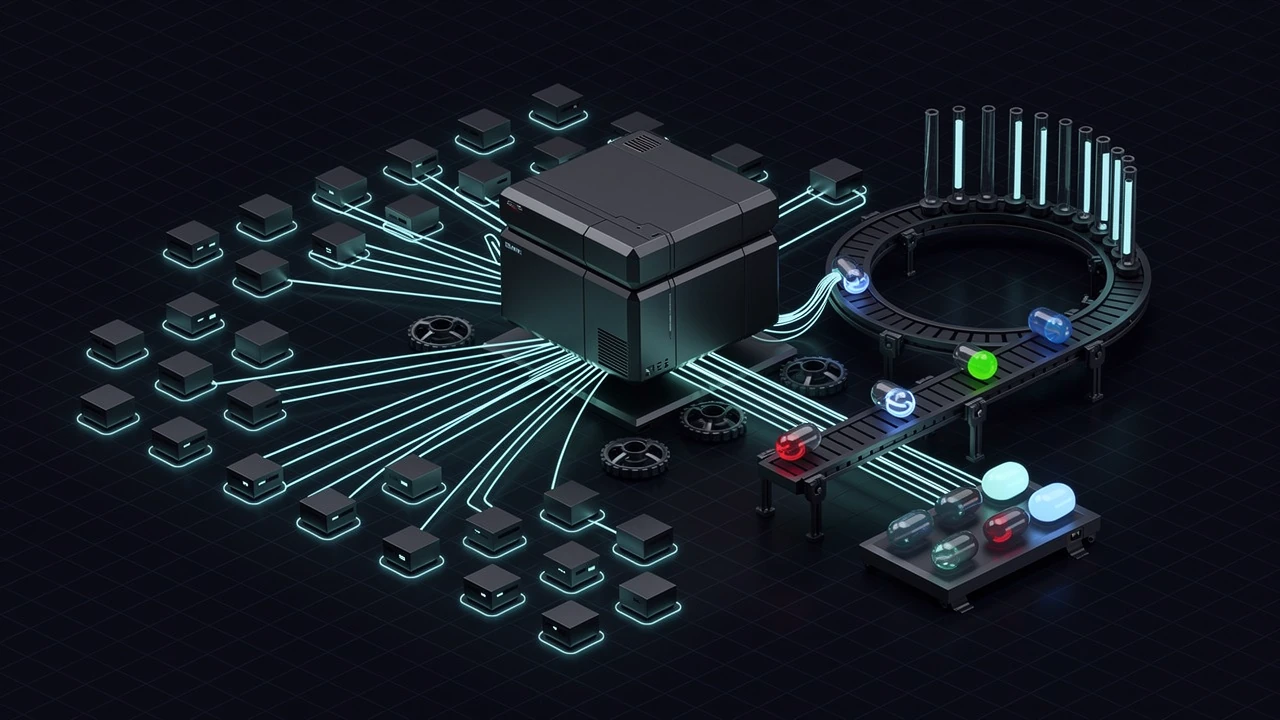
Flyweight and object pooling show up together in nearly every list of “performance patterns,” and they get blurred into one idea: avoid doing the expensive thing for every object. That framing is close enough to be dangerous. The two patterns attack different costs, and using the wrong one leaves the original problem untouched while adding new ways to break.
Flyweight is about memory and bandwidth. When ten thousand objects carry the same mesh reference, the same stat table, and the same sound list, that data should exist once and be shared.
Object pooling is about lifetime churn. When a game spawns and destroys hundreds of short-lived objects per second, such as bullets, hit sparks, damage numbers, and audio sources, the cost is in creating and tearing them down, not in what they hold. A pool keeps a set of instances alive and hands them out again.
Both patterns are old, and both are covered in Robert Nystrom’s Game Programming Patterns. This post covers how each one maps onto Unity and C#, where each one fails, and how to combine them so a pooled bullet carries almost no data of its own.

Two different questions
A quick way to tell which pattern applies is to ask what is expensive.
If the problem is “there are too many copies of the same data,” the answer is a flyweight. Symptoms: memory grows linearly with object count, inspectors show the same arrays duplicated across prefab instances, or a draw-call count climbs because every object looks like a unique case to the renderer.
If the problem is “objects keep being born and dying,” the answer is a pool. Symptoms: frame-time spikes during heavy combat, Instantiate and Destroy near the top of the profiler, garbage collection hitches in a profiler capture, or a mobile build that stutters when an effect fires.
Some systems have both problems. A bullet-hell shooter has thousands of bullets that all share a handful of bullet types, and every bullet lives for under two seconds. That is why the patterns pair well, and why it matters to keep them separate in the design. A flyweight that is also doing pool bookkeeping becomes hard to reason about.
Flyweight: split intrinsic from extrinsic state
The classic definition splits an object’s data in two.
Intrinsic state is shared and does not change per instance: the mesh, the base stats, the attack list, the hit sound. Extrinsic state is specific to one instance: its position, current health, cooldown timer, and target.
Nystrom’s example is a forest of trees. Each tree has a mesh, bark texture, and leaf texture (shared), plus a position, height, and tint (unique). Pulling the shared part into a TreeModel means the mesh exists once in memory rather than a thousand times, and graphics APIs that support instanced rendering can draw the whole forest from one model plus a list of per-instance parameters. He points out that this may be the only Gang of Four pattern with direct hardware support.
In Unity, the natural vehicle for intrinsic state is a ScriptableObject. It is an asset, so every object that references it points at the same instance:
using UnityEngine;

[CreateAssetMenu(menuName = "Game/Enemy Definition")]
public sealed class EnemyDefinition : ScriptableObject
{
    [SerializeField] private int maxHealth = 100;
    [SerializeField] private float moveSpeed = 3.5f;
    [SerializeField] private float attackRange = 1.8f;
    [SerializeField] private AudioClip hitSound;
    [SerializeField] private AnimationCurve damageFalloff;

    public int MaxHealth => maxHealth;
    public float MoveSpeed => moveSpeed;
    public float AttackRange => attackRange;
    public AudioClip HitSound => hitSound;
    public AnimationCurve DamageFalloff => damageFalloff;
}
The runtime component keeps only what changes:
public sealed class Enemy : MonoBehaviour
{
    [SerializeField] private EnemyDefinition definition;

    private int health;
    private float attackCooldown;

    private void OnEnable()
    {
        health = definition.MaxHealth;
        attackCooldown = 0f;
    }

    public void TakeDamage(int amount)
    {
        health -= amount;
        if (health <= 0)
            Die();
    }

    private void Die() { /* ... */ }
}
Two properties make this a flyweight rather than a loose bag of settings. The definition is read-only at runtime (private fields, getters only), and the instance never copies definition values into its own fields except for state that must diverge, like current health.
What the savings look like
The saving depends on what the shared data is. A few floats and ints are trivial either way, and a ScriptableObject reference is itself a pointer in every instance. The real gains come from heavy shared payloads: AnimationCurve objects, lists of ability descriptions, localization tables, large config arrays, and anything serialized inline on a prefab.
That last case is easy to miss. If a prefab has a serialized List<AbilityData> on its component, every instance of that prefab carries its own managed copy of the list when instantiated. Move the list into a ScriptableObject and reference it, and the copies collapse into one. Measure first. The Memory Profiler package can show managed object counts and sizes per type, which is a more reliable guide than guessing from the inspector.
Rendering is the other half
Unity applies the same idea to materials and meshes, and there is a classic trap hiding in it.
Reading renderer.material returns an instance copy of the material, creating one if the renderer does not already have its own. Assign a tint through it on a thousand objects and there are a thousand materials, which defeats batching and leaks memory if they are never destroyed. renderer.sharedMaterial returns the shared asset, but writing a property through it changes every object that uses the material.
The flyweight-friendly path is a MaterialPropertyBlock, which carries per-instance overrides without cloning the material:
public sealed class TintedRenderer : MonoBehaviour
{
    private static readonly int ColorId = Shader.PropertyToID("_BaseColor");

    [SerializeField] private Renderer target;
    private MaterialPropertyBlock block;

    public void SetTint(Color color)
    {
        block ??= new MaterialPropertyBlock();
        target.GetPropertyBlock(block);
        block.SetColor(ColorId, color);
        target.SetPropertyBlock(block);
    }
}
This is the same split as the forest: one shared material and mesh, plus a small per-instance override. Whether property blocks batch well depends on the render pipeline in use. In pipelines that use the SRP Batcher, per-renderer property blocks can interfere with SRP Batcher compatibility, so check the Frame Debugger before assuming it helped. GPU instancing and the SRP Batcher are different mechanisms with different rules, and the right choice is a rendering-specific question that deserves its own measurement.
The shared-mutation bug
A flyweight only works while the shared part stays immutable. The most common failure is gameplay code that writes into the definition:
// Bug if MoveSpeed were a writable field: every goblin just got faster.
definition.MoveSpeed *= 1.2f; // does not compile with the read-only API above
The read-only properties above are deliberate. Without them, a buff applied to one enemy rewrites the asset in memory, affects every enemy using that definition, and in the editor it can also persist into the saved asset after play mode ends. Buffs belong in extrinsic state: a modifier list on the instance, applied on top of the definition’s base values.
public float CurrentMoveSpeed => definition.MoveSpeed * speedMultiplier;
Object pooling: reuse the instance, not just the data
A flyweight reduces what each object holds. A pool reduces how often objects are created at all.
Nystrom’s definition is a fixed collection of reusable objects, each with an “in use” flag. Ask the pool for one, and it finds a free object and marks it live. When the object is no longer needed, it goes back to “not in use.” His motivating examples are particle systems and fragmentation on constrained hardware, where a heap full of small holes can fail an allocation even when plenty of total memory is free.
Unity’s situation is a little different from a console-era C++ heap. Fragmentation of the managed heap is real but rarely the first complaint. The usual costs are:
Instantiatehas to clone a hierarchy, runAwakeandOnEnableon every component, and register everything with engine systems.Destroyis deferred to the end of the frame and tears the same machinery down.- Any managed allocation created along the way (closures, lists, strings, per-instance arrays) feeds the garbage collector, which can cause a hitch when it runs.
Pooling swaps most of that work for activating and deactivating something that already exists. The cost is memory held in reserve and the responsibility to reset state correctly. Neither is free, so both need to be weighed against a measured problem.
The built-in pool
Since Unity 2021.1, UnityEngine.Pool ships an ObjectPool<T>, so a hand-rolled pool is rarely necessary for GameObjects. The documentation describes it as a stack-based pool whose constructor takes delegates for creation, taking from the pool, returning to the pool, and destroying, plus a default capacity, a maximum size, and an optional collection check that catches double releases.
using UnityEngine;
using UnityEngine.Pool;

public sealed class ProjectilePool : MonoBehaviour
{
    [SerializeField] private Projectile prefab;
    [SerializeField] private int prewarmCount = 32;
    [SerializeField] private int maxRetained = 128;

    private ObjectPool<Projectile> pool;

    private void Awake()
    {
        pool = new ObjectPool<Projectile>(
            createFunc: CreateProjectile,
            actionOnGet: p => p.gameObject.SetActive(true),
            actionOnRelease: p => p.gameObject.SetActive(false),
            actionOnDestroy: p => Destroy(p.gameObject),
            collectionCheck: true,
            defaultCapacity: prewarmCount,
            maxSize: maxRetained);

        Prewarm();
    }

    private Projectile CreateProjectile()
    {
        Projectile instance = Instantiate(prefab, transform);
        instance.gameObject.SetActive(false);
        return instance;
    }

    private void Prewarm()
    {
        var warm = new Projectile[prewarmCount];
        for (int i = 0; i < warm.Length; i++)
            warm[i] = pool.Get();
        for (int i = 0; i < warm.Length; i++)
            pool.Release(warm[i]);
    }

    public Projectile Fire(ProjectileDefinition def, Vector3 origin, Vector3 direction)
    {
        Projectile p = pool.Get();
        p.Launch(def, origin, direction, pool);
        return p;
    }
}
Several details here are easy to get wrong.
defaultCapacity sizes the internal collection. It does not create objects. Without the Prewarm loop, the first burst of fire still instantiates on demand, which is exactly the hitch the pool was meant to prevent.
maxSize limits how many instances the pool retains, not how many can be active. If more than maxSize objects are released, the extras go through actionOnDestroy. Calling Get on an empty pool always creates a new instance. If a hard cap on active objects matters (a rule such as “never more than 64 bullets on screen”), it has to be enforced outside the pool.
collectionCheck: true throws on a double release. The check amounts to a linear search of the pooled items, so on a pool that retains hundreds of objects it is not free. Treat it as a development aid and confirm with a profile before leaving it on in a hot path.
The Unity documentation also notes that ObjectPool<T> is not safe to call from background threads and that its objects are stored in a stack-like collection, so there is no guarantee about contiguity in memory. The pool saves allocation work, not cache misses.
The pooled object owns its return trip
The projectile needs a way back to the pool. Passing the pool in at launch avoids a global lookup:
using UnityEngine;
using UnityEngine.Pool;

public sealed class Projectile : MonoBehaviour
{
    [SerializeField] private Rigidbody body;
    [SerializeField] private TrailRenderer trail;

    private IObjectPool<Projectile> owner;
    private ProjectileDefinition definition;
    private float timeLeft;
    private bool released;

    public void Launch(
        ProjectileDefinition def,
        Vector3 origin,
        Vector3 direction,
        IObjectPool<Projectile> pool)
    {
        definition = def;
        owner = pool;
        timeLeft = def.Lifetime;
        released = false;

        transform.SetPositionAndRotation(origin, Quaternion.LookRotation(direction));
        body.linearVelocity = direction.normalized * def.Speed; // `velocity` before Unity 6
        body.angularVelocity = Vector3.zero;
        trail.Clear();
    }

    private void Update()
    {
        timeLeft -= Time.deltaTime;
        if (timeLeft <= 0f)
            Despawn();
    }

    private void OnTriggerEnter(Collider other)
    {
        // apply damage using definition.Damage ...
        Despawn();
    }

    private void Despawn()
    {
        if (released)
            return; // timeout and hit can land in the same frame
        released = true;
        owner.Release(this);
    }
}
The released flag matters. A projectile can time out and hit something in the same frame, and releasing twice puts the same object in the pool twice. Then two callers get the same instance, and the symptoms are strange: a bullet teleports mid-flight, or two enemies get hit by one shot. With collectionCheck on, the second release throws instead, which is the better failure.
The reset checklist is the real cost
A pooled object is a used object. It remembers everything its previous life did, so every bug in a pool is some form of stale state.
The things worth checking each time something goes back in:
- Physics state. Velocity, angular velocity, and any forces applied. A reused rigidbody that keeps its last velocity launches in the wrong direction.
- Trails and particles.
TrailRenderer.Clear()removes the streak between the old position and the new one. Particle systems needStoporClearbefore reuse, or the previous burst replays. - Event subscriptions. A pooled object that subscribes in
Launchand never unsubscribes responds to events for owners it no longer has. Pair every subscribe with an unsubscribe in the release path. - Running coroutines and async work. A coroutine started in the last life continues in the next one unless it is stopped. Cancellation tokens tied to the object’s active lifetime handle this more reliably than flags.
- Timers and cooldowns. Reset all of them on spawn, not just the obvious one.
- Parenting and scale. Something attached to a moving parent during its last life may still be a child.
- Visual state. Tint overrides, animation state, and enabled sub-objects (a charged-shot glow that was on when the object died).
The cleanest approach is to make initialization a single method that sets everything, as Launch does above, rather than scattering resets across OnEnable, OnDisable, and the caller. If a new field gets added to the component, there is exactly one place to update.
Using OnEnable and OnDisable as the lifecycle hooks is tempting because SetActive triggers them. It works, but it hides ordering: OnEnable runs before Launch supplies the definition. Anything that needs the definition has to wait for Launch.
A handle-based pool for data that is not a GameObject
GameObject pooling is the common case, but the pattern is more general, and a pure data pool is often the better design for very large counts. Ten thousand bullets rarely need ten thousand GameObjects. They need positions, velocities, and a lifetime, which can live in arrays and be rendered by instancing.
That design has a hazard. If a system holds a plain index into the array, and the slot is released and reused, the old index now silently refers to a different bullet. The standard fix is a generation counter: each slot has a number that increments on release, and the handle stores both the index and the generation it was issued with.
using UnityEngine;

public readonly struct BulletHandle
{
    public readonly int Index;
    public readonly int Generation;

    public BulletHandle(int index, int generation)
    {
        Index = index;
        Generation = generation;
    }
}

public sealed class BulletPool
{
    private readonly BulletDefinition[] definitions;
    private readonly Vector3[] positions;
    private readonly Vector3[] velocities;
    private readonly float[] timeLeft;
    private readonly int[] generations;
    private readonly bool[] alive;
    private readonly int[] freeSlots;
    private int freeCount;

    public BulletPool(int capacity)
    {
        definitions = new BulletDefinition[capacity];
        positions = new Vector3[capacity];
        velocities = new Vector3[capacity];
        timeLeft = new float[capacity];
        generations = new int[capacity];
        alive = new bool[capacity];
        freeSlots = new int[capacity];

        for (int i = 0; i < capacity; i++)
        {
            generations[i] = 1; // 0 is reserved so default(BulletHandle) is never valid
            freeSlots[i] = capacity - 1 - i;
        }
        freeCount = capacity;
    }

    public bool TryFire(
        BulletDefinition def,
        Vector3 origin,
        Vector3 direction,
        out BulletHandle handle)
    {
        if (freeCount == 0)
        {
            handle = default;
            return false; // caller decides: drop the shot, or recycle the oldest
        }

        int i = freeSlots[--freeCount];
        definitions[i] = def;
        positions[i] = origin;
        velocities[i] = direction.normalized * def.Speed;
        timeLeft[i] = def.Lifetime;
        alive[i] = true;

        handle = new BulletHandle(i, generations[i]);
        return true;
    }

    public bool IsAlive(BulletHandle h) =>
        h.Index >= 0 && h.Index < alive.Length &&
        alive[h.Index] && generations[h.Index] == h.Generation;

    public void Tick(float dt)
    {
        for (int i = 0; i < alive.Length; i++)
        {
            if (!alive[i])
                continue;

            positions[i] += velocities[i] * dt;
            timeLeft[i] -= dt;
            if (timeLeft[i] <= 0f)
                Release(i);
        }
    }

    private void Release(int i)
    {
        alive[i] = false;
        definitions[i] = null;
        generations[i]++;
        freeSlots[freeCount++] = i;
    }
}
This pool allocates once in the constructor and never again. TryFire returns false when full, which forces the caller to pick one of the overflow strategies Nystrom lists: size the pool so it never overflows, skip the new object, kill an existing one, or grow the pool. For cosmetic bullets, skipping is usually right. For a boss spawn, the pool must be sized so the question never comes up.
Notice what each slot stores: a reference to a shared BulletDefinition and four small pieces of per-bullet state. That is the combined design. The flyweight holds speed, damage, lifetime, mesh, and material. The pool holds a slot, a handle, and nothing else. Neither pattern had to be bent to make this work.
A short check is worth keeping beside code like this, because generation bugs are quiet:
var pool = new BulletPool(2);
var def = ScriptableObject.CreateInstance<BulletDefinition>();

pool.TryFire(def, Vector3.zero, Vector3.forward, out var first);
pool.Tick(def.Lifetime + 0.1f);                       // first expires, slot is freed
pool.TryFire(def, Vector3.zero, Vector3.forward, out var second);

Debug.Assert(!pool.IsAlive(first));   // stale handle must not alias the reused slot
Debug.Assert(pool.IsAlive(second));
If IsAlive(first) ever returns true after the slot is reused, the generation logic is broken, and the symptom in-game would be damage applied to the wrong bullet.
Sizing and overflow
Pool size is a gameplay decision wearing an engineering costume.
Too small, and shots silently vanish or objects are created mid-fight, which is the hitch the pool existed to prevent. Too large, and the memory sits idle, which matters on mobile and console budgets. Nystrom’s advice is blunt: a crash makes an undersized pool obvious, so also watch for oversized ones, because they cost memory that something else could use.
A practical approach:
- Run a worst-case scenario (the heaviest encounter, the highest fire rate, all upgrades active).
- Record the peak number of simultaneously active objects. Log it from the pool during play, which costs one integer comparison per spawn.
- Set the prewarm count near typical peak and the retained cap near the worst-case peak plus a small margin.
- Keep the logging in development builds so later balance changes that raise the peak get noticed.
Separate pools per object type also help. One shared pool for “effects” lets a flood of sparks starve a more important effect. Partitioning memory by purpose is a feature, not a limitation.
Common mistakes
Pooling without profiling. If a prefab spawns a few times per minute, a pool adds code, memory, and reset bugs for no measurable gain. Capture a profile with the problem present, confirm that Instantiate, Destroy, or GC allocation is the cost, and then pool the specific objects responsible.
Forgetting that SetActive(false) still costs memory. Pooled objects stay resident. A pool of two hundred complex enemy prefabs holds all of their components, meshes in use, and audio sources even when none are on screen.
Resetting in the wrong place. If reset logic is split among the pool, the caller, and several components, one will be missed. Centralize it.
Mutating the flyweight. Anything writing to a shared definition at runtime changes every object that uses it. Keep definitions read-only and layer modifiers on the instance.
Holding raw references to pooled objects. A system that stores a Projectile reference after the projectile returned to the pool may now be talking to a different bullet. Use handles with generations, or clear references in the release path.
Treating a pool as a fix for allocation inside the object. Pooling a Projectile does nothing if its Update allocates a list or a closure every frame. Fix the per-frame allocation separately.
Using both patterns where one is enough. A pool of identical, tiny objects does not need a definition asset. A set of long-lived, unique enemies does not need a pool. Match the pattern to the cost that exists.
When to skip both
Flyweight is not worth the indirection when there are only a few instances. Ten enemies with their own copies of a stat block cost nothing that matters, and a per-instance setup is easier to tweak in the inspector.
Pooling is not worth the reset burden for objects that are expensive but rare, like a boss, a level transition, or a UI screen opened a few times a session. Those costs are better hidden behind a loading screen or spread across frames with async loading than paid for in permanent memory.
There is also a middle ground for arrays and lists. ArrayPool<T> from System.Buffers and the collection pools in UnityEngine.Pool (such as ListPool<T>) cover temporary buffers, so code that builds a list every frame can borrow and return one without writing a custom pool.
Practical takeaway
Treat the two patterns as answers to two questions. If many objects carry identical data, move that data into a read-only shared definition and keep only per-instance state on the object. If many objects are created and destroyed quickly, keep a bounded set of them alive and recycle them through a single reset path.
When using Unity’s ObjectPool<T>, prewarm explicitly, enforce the active-object cap outside the pool, guard against double release, and decide up front what happens when the pool runs dry. For data-oriented pools, issue handles with a generation counter so stale references fail loudly instead of pointing at a stranger.
Then measure. Both patterns trade memory and complexity for speed, and that trade is only worth making when a profile shows the cost it removes.
References
- Robert Nystrom, Game Programming Patterns, Flyweight — the forest example, the intrinsic/extrinsic split, and the note about hardware instancing.
- Robert Nystrom, Game Programming Patterns, Object Pool — fragmentation, fixed-size trade-offs, overflow strategies, and the warning that reused objects are not cleared for you.
- Unity Scripting API, ObjectPool<T> — constructor parameters,
maxSizebehavior, collection checks, and the thread-safety note. - Unity Scripting API, MaterialPropertyBlock — per-renderer overrides without cloning materials.
- Unity Manual, ScriptableObject — using assets to hold shared data and reduce per-instance copies.