14 minutes
R3 and Reactive Programming in Unity: Use Streams Where Events Start to Fray
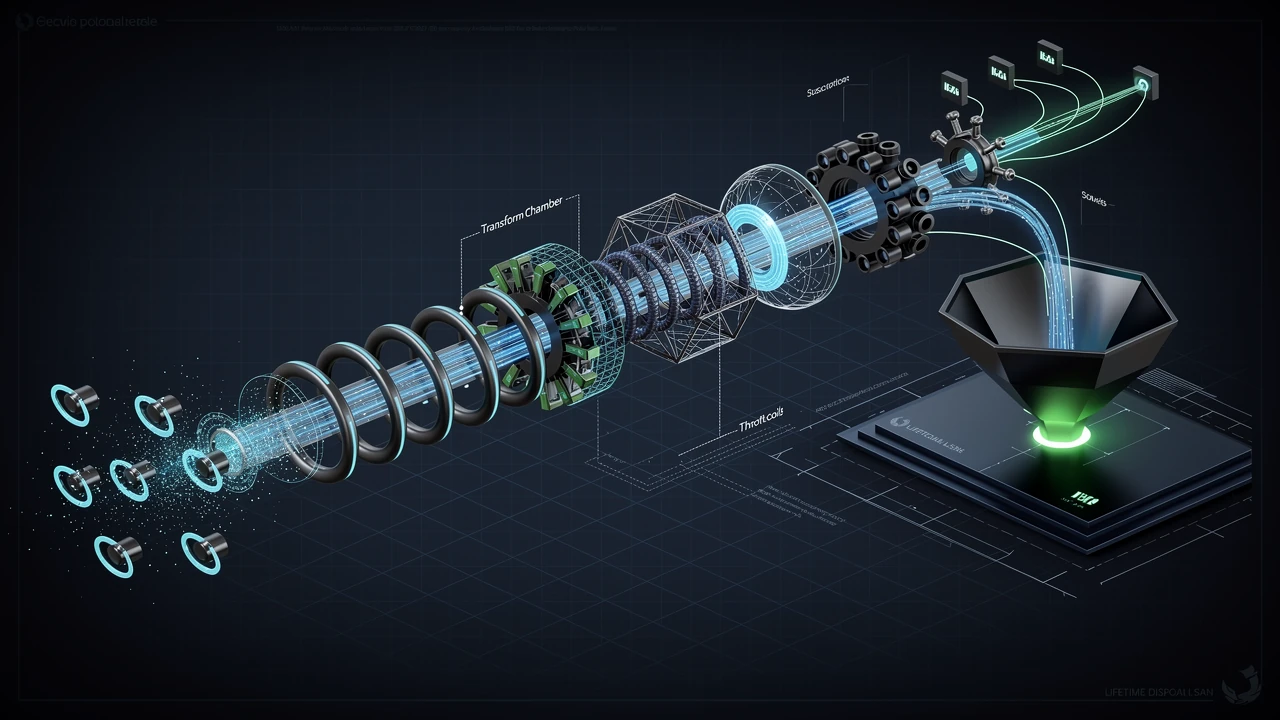
Reactive programming is useful in Unity when a system is mostly about values changing over time.
That sounds like most game code, so the first trap is obvious: once the tool clicks, it becomes tempting to turn everything into a stream. Health changes, button clicks, cooldowns, input, animation events, network state, scene loading, save status, enemy awareness, every single thing. The code looks clever for a week, then someone has to debug a chain of operators at 2 a.m. because the inventory UI updated twice and nobody knows who subscribed first.
R3 is worth looking at because it modernizes the old UniRx shape and takes Unity seriously. It gives C# developers a way to compose event-like flows, frame-based timing, and lifetime-bound subscriptions without pretending Unity is a normal server application. But the useful version of reactive programming is not “make all code reactive.” The useful version is narrower: use streams where a value or event has multiple consumers, changes over time, and benefits from composition.
The problem reactive code actually solves
A lot of Unity code starts with a simple callback.
A button calls a method. A health component raises an event. A loading system invokes a completion handler. That is fine. Direct code is still the cheapest architecture when the relationship is obvious and local.
The trouble starts when the same signal needs filtering, combining, throttling, lifetime management, or multiple consumers. A health value is not just used by the health bar. It might drive damage effects, low-health audio, AI targeting, achievements, analytics, save data, tutorial prompts, and controller rumble. If every one of those systems wires itself directly to the health component, the feature still works, but the dependencies become noisy.
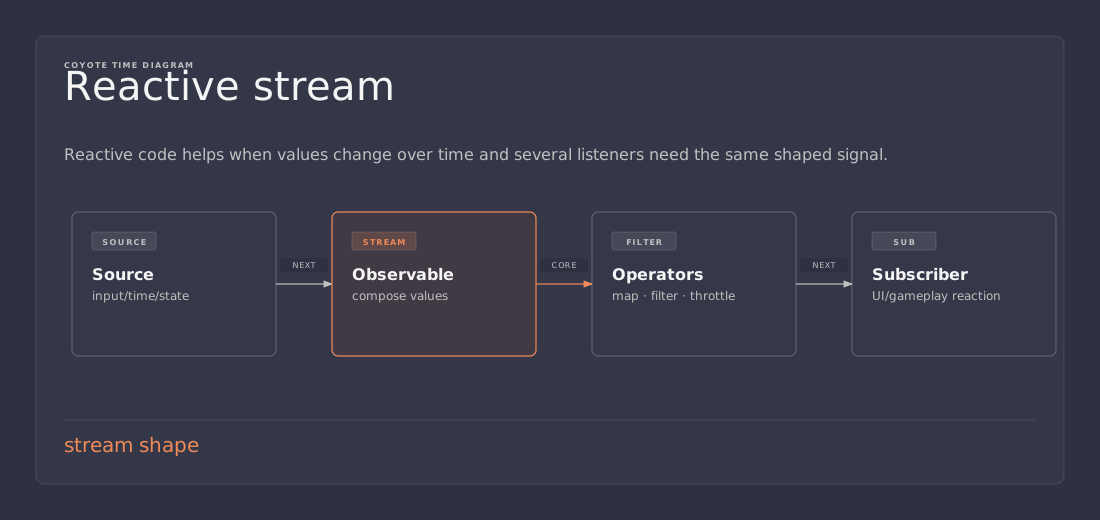
Reactive programming gives that problem a different shape. Instead of treating each notification as a one-off callback, it treats the changing value as a stream. Code can subscribe to that stream, transform it, filter it, combine it with other streams, and dispose the subscription when the listener goes away.
The idea is not complicated. The debugging can be, so the boundaries matter.
raw event/value
     │
     ▼
 observable stream
     │
     ├── filter: only when meaningful
     ├── map: convert to what this system needs
     ├── combine: include another signal
     ▼
 subscribers tied to object lifetime
That pipeline is the reason to use R3. If the pipeline is not buying clarity, do not pay for it.
R3 in one practical sentence
R3 is a modern Reactive Extensions implementation from Cysharp, the same ecosystem behind UniTask, with support for Unity and other .NET platforms.
The important part for game code is not the brand name. It is the model: an Observable<T> represents values over time, and a subscription observes those values until it is disposed. This is close to the observer pattern, but with a richer vocabulary for composing streams.
In plain C#, an event says, “call these handlers when something happens.” A reactive stream says, “this is a sequence of things happening over time, and you can build a pipeline over it.”
That difference matters when code stops being a single notification.
For example, “the player clicked this button” can be an event. “The player clicked this button, but only while the panel is visible, not more than once per second, and then we need to request data and cancel the old request if the panel closes” is no longer just an event. It is a flow. Flows are where reactive code starts to earn its keep.
A small health example
Start with something boring: a health component that exposes the current value.
The exact R3 API surface can change between versions, so treat this as the shape to aim for rather than a paste-and-forget package tutorial. The important pieces are a reactive value, read-only exposure, subscription, and disposal.
using R3;
using UnityEngine;

public sealed class Health : MonoBehaviour
{
    [SerializeField] private int maxHealth = 100;

    private readonly ReactiveProperty<int> current = new();

    public ReadOnlyReactiveProperty<int> Current => current;
    public int MaxHealth => maxHealth;

    private void Awake()
    {
        current.Value = maxHealth;
    }

    public void TakeDamage(int amount)
    {
        if (amount <= 0) return;
        current.Value = Mathf.Max(0, current.Value - amount);
    }
}
Now a UI view can listen without the health component knowing anything about sliders, text, color flashes, or animation.
using R3;
using UnityEngine;
using UnityEngine.UI;

public sealed class HealthBarView : MonoBehaviour
{
    [SerializeField] private Health health;
    [SerializeField] private Slider slider;

    private readonly CompositeDisposable disposables = new();

    private void OnEnable()
    {
        health.Current
            .Select(value => (float)value / health.MaxHealth)
            .Subscribe(normalized => slider.value = normalized)
            .AddTo(disposables);
    }

    private void OnDisable()
    {
        disposables.Clear();
    }
}
There is no grand architecture here. The UI is just reacting to a value. That is the level where this style is easiest to justify.
The health component owns health. The view owns presentation. The subscription is tied to the view lifetime. If the UI is disabled, it stops listening. No hidden manager is required.
The lifetime rule is not optional
Most reactive bugs in Unity are not caused by Select, Where, or other operators. They are caused by subscriptions that outlive the object that made them.
Unity destroys objects differently from normal C# object lifetimes. A C# reference can remain while the underlying Unity object is gone. If a subscription keeps calling into that destroyed object, the failure may show up as a null-looking Unity object, a missing reference exception, duplicate UI updates after scene reload, or a listener that appears to survive forever.
So the boring rule is the important rule: every subscription needs an owner.
For a MonoBehaviour, the owner is usually the component lifetime. For a panel, it may be OnEnable to OnDisable. For a gameplay entity, it may be spawn to despawn. For a service that lives through the whole application, it can be application lifetime, but that should be an explicit decision rather than an accident.
This is where a CompositeDisposable is useful. It is not glamorous. It is just a list of cleanup handles. Add subscriptions to it, clear or dispose it at the matching lifetime boundary, and most leak-shaped problems disappear.
The mistake is subscribing in Start and forgetting about it because the scene looked fine during a single play session. Games are full of repetition: menus reopen, scenes reload, pooled enemies respawn, HUD elements are replaced, players reconnect. A subscription leak might be invisible on the first loop and obvious on the fifth.
That is not a reactive-specific lesson, really. It is the same ownership problem we already have with events. Reactive code just makes it easier to create more subscriptions, so it makes the discipline more important.
Where streams beat plain events
A plain C# event is excellent when the sender and receiver already have a clean relationship.
A door opens when a pressure plate is pressed. A weapon notifies its reticle that ammo changed. A local component tells a sibling component that setup finished. Do not turn that into a stream because a blog post said streams are elegant. That is how clean code becomes ceremonial code.
Streams are better when there is actual composition.
Input is a good example. A raw button press is rarely the final behavior. The game may need to ignore input while a menu is open, detect a hold, debounce repeated clicks, combine aim direction with fire input, or switch bindings depending on player state. Each rule is small. The combined flow can become messy when scattered across Update flags.
UI is another good fit. UI code tends to be event-heavy, state-heavy, and lifetime-heavy. Buttons, toggles, sliders, text fields, selected items, loading spinners, and network responses all change over time. A stream-based view model can make the data flow easier to see, as long as the team resists the urge to hide every assignment behind an operator chain.
Gameplay state can also fit, especially when a derived value depends on several inputs. A stamina warning might depend on stamina, sprint state, combat state, and a settings flag. If those inputs are already streams, deriving the warning as a stream can be cleaner than manually remembering which event should recalculate which property.
The pattern is simple: use reactive code where the sentence contains “when this changes, while that is true, convert it to this, and stop when this owner dies.” If the sentence is “call this method,” call the method.
Where streams make code worse
Reactive programming is not free.
The cost is not only runtime overhead, though that can matter in hot paths. The bigger cost is readability. A direct method call gives you a stack trace and a line of code. A reactive pipeline gives you a chain. Chains are readable when short and named well. They become miserable when every feature is a nested stream transformation with side effects at the end.
Avoid reactive code for core per-frame simulation unless there is a strong reason. Movement integration, collision response, animation sampling, and tight combat loops usually want direct, predictable code. If something runs for thousands of entities every frame, do not add a stream abstraction just to feel modern. Use data-oriented code, jobs, Burst, plain arrays, or boring loops where they fit.
Also avoid streams as a substitute for ownership. If nobody knows which system owns inventory state, exposing inventory as observables does not fix the design. It only gives the confusion a nicer API.
A useful test is whether deleting the reactive layer would make the code clearer. If the answer is yes, delete it. That is not anti-pattern purism. That is just maintenance.
Reactive properties are state, not events
One common mistake is treating all streams as the same thing.
A health value and a death notification are related, but they are not identical. Health is state. Death is an event derived from a transition in that state. If those are mixed carelessly, subscribers start doing awkward work to guess meaning from a value.
For example, a UI health bar wants the current health even if it subscribes after the player has already taken damage. A death animation probably does not want to replay just because a listener subscribes late and sees that health is already zero.
That distinction should shape the API.
Expose durable values as reactive properties or state streams. Expose one-time moments as event streams. If an event is derived from state, make the transition explicit so late subscribers do not accidentally replay old moments.
In practical terms, ask one question before exposing a stream: should a new subscriber receive the latest value immediately?
If yes, it is probably state. If no, it is probably an event.
That one question prevents a surprising amount of weird UI and gameplay behavior.
A cleaner UI flow
Here is a slightly more realistic UI example. Imagine a character select panel with a selected character, a ready button, and a player profile that may or may not be loaded.
Without a stream model, this often becomes a handful of methods that all call RefreshReadyButton(): OnCharacterSelected, OnProfileLoaded, OnProfileFailed, OnPanelOpened, OnPanelClosed, and maybe Update if something was missed.
Reactive code lets the view say what the ready state depends on.
selectedCharacter
    .CombineLatest(profileState, (character, profile) =>
        character != null && profile.IsLoaded && profile.CanUse(character))
    .DistinctUntilChanged()
    .Subscribe(canReady => readyButton.interactable = canReady)
    .AddTo(disposables);
That is the good version: short, declarative, and tied to the UI lifetime.
The bad version is the same idea stretched until nobody wants to touch it.
selectedCharacter
    .Where(character => character != null)
    .SelectMany(character => LoadCosmetics(character))
    .CombineLatest(profileState, inventoryState, matchmakingState,
        (cosmetics, profile, inventory, matchmaking) => /* too much */)
    .Where(result => /* mystery rule */)
    .Subscribe(result => /* changes five systems */);
At that point, split the work. Give important decisions names. Put domain rules in normal methods. Keep the stream as plumbing, not as the only place where the game rules exist.
Reactive code is easiest to maintain when operators describe flow and named functions describe business rules.
R3, UniRx, and async/await are different tools
R3 sits in the same family tree as UniRx, but it is not just a nostalgia package. Cysharp positions it as a newer Reactive Extensions implementation that learned from UniRx, modern .NET, and game-engine constraints. UniRx still matters historically, and plenty of Unity projects have shipped with it, but new projects should at least evaluate R3 before defaulting to older patterns.
It is also worth separating reactive streams from async/await.
Async/await is great for a single operation that starts, waits, and completes. Load this asset. Fetch this profile. Save this file. Wait for this animation step. UniTask fits that world well in Unity because it keeps async code aligned with the PlayerLoop and avoids some of the allocation problems of plain Task in gameplay-adjacent code.
Reactive streams are better for ongoing sequences. Button clicks. Value changes. Input state. Network status updates. Cooldown ticks. Selection changes. The stream may not have one natural completion point, because the feature exists as long as the owner exists.
A loading screen might use both. The button click is a stream. The load operation kicked off by the click is async. The progress value may be a stream. The final scene activation may be awaited. Trying to force all of that into one abstraction usually makes the code worse.
Use the tool that matches the shape of the work.
Performance: assume nothing, measure the hot path
Reactive code has overhead. So do events, virtual calls, interfaces, allocations, coroutines, LINQ, logging, and bad Update loops. The question is not whether overhead exists. The question is whether it matters in the place you are using it.
For UI, menus, save status, tool workflows, and occasional gameplay notifications, the readability can easily be worth it. For thousands of enemies evaluating streams every frame, it probably is not. For a combat HUD updating a few values, it might be fine. For projectile simulation, stop being cute and use a loop.
R3 specifically calls out performance concerns in older Rx designs and includes game-engine-oriented ideas such as frame-based operations. That is encouraging, but it does not excuse guessing. If the code is near a frame budget, benchmark it in the target environment. Editor numbers are useful for smoke tests, not final truth. IL2CPP, device CPU, allocations, and scene scale all matter.
The lazy senior answer is boring: keep reactive code away from the hottest loops by default, then measure if you want to move the boundary.
Debugging reactive code without suffering
The easiest way to debug reactive code is to not make it mysterious in the first place.
Keep pipelines short. Give derived streams names. Avoid side effects in the middle of a chain. Put logging at meaningful boundaries. If a subscription changes scene state, make that subscription easy to find. If a stream represents an important concept, expose it from a class with a name that explains ownership.
Bad reactive code tends to hide verbs. Everything is Select, Where, Merge, and Subscribe, but the gameplay action is buried in lambdas. Good reactive code names the thing the game cares about: CanStartMatch, SelectedLoadout, LowHealthWarning, ConnectionLost, ReadyButtonPressed.
That naming is not decoration. It is how another programmer debugs the feature without rebuilding the whole mental pipeline.
Also watch for accidental multiple subscriptions. A cold-looking stream that does work per subscriber can surprise you if three systems subscribe and the work runs three times. This is not unique to R3, but reactive APIs make it easy to forget that subscription is an action, not just a reference.
If subscribing causes work, treat it with the same suspicion you would give any method call with side effects.
A practical adoption path
Do not begin by rewriting architecture.
Start with one contained feature where events are already messy. A menu panel is ideal. A HUD view is fine. A debug tool is fine. A settings screen with sliders and toggles is fine. Pick something with clear lifetime boundaries and low performance risk.
Use reactive properties for view-facing state. Use event streams for user actions. Dispose subscriptions at OnDisable or OnDestroy, depending on how the object is reused. Keep domain logic in named methods. Keep the stream chains boring.
Then review the result honestly.
Did it remove state synchronization bugs? Did it reduce duplicated Refresh() calls? Can a teammate read it without knowing every operator by heart? Does the lifetime cleanup survive reopening the panel ten times? If yes, expand slowly. If no, delete it and go back to events. No architecture decision should be too prestigious to remove.
The safest adoption pattern is to use R3 at the edges first: UI, tools, input glue, loading status, and presentation state. Let core simulation stay direct until the need is obvious.
Takeaway
R3 is a good fit for Unity code that is already event-heavy, lifetime-sensitive, and full of values changing over time. It gives those flows a composable vocabulary, especially in UI and presentation layers where direct callbacks tend to multiply.
But streams are not a personality. They are plumbing.
Use them when they make the data flow clearer. Tie every subscription to a lifetime. Keep hot simulation code boring. Separate state streams from event streams. Name important derived values instead of burying game rules inside operator chains.
The practical win is not that the project becomes “reactive.” The win is that the next programmer can see what changes, who reacts, and when the reaction stops.
References
- Cysharp R3 README — project goals, Unity support, and differences from older Rx approaches.
- UniRx README — historical Unity Reactive Extensions context and the path that led many Unity teams toward reactive workflows.
- Microsoft Learn: Observer design pattern — background on providers, observers, and subscriptions in .NET.
- Unity Learn: Create modular and maintainable code with the observer pattern — Unity-oriented discussion of loose coupling through observer-style design.